



Student Progress Interviews
We use SchoolCloud Interviews, an online booking system for scheduling interviews. The Student Progress Interviews have been set up so you will see your child/children’s teachers and should simply select those you wish to see at the available times.
Detailed instructions are below on how to access the system.
Please contact the college on (02) 6043 7500 if have any problems making a booking. On the night you can contact the WSSC ICT team on (02) 6043 7550 for technical assistance connecting to your interviews.
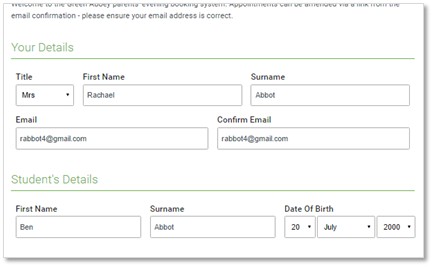
Step 1: Login
Browse to https://WodongaSeniorSecondaryAU.schoolcloud.co.uk/
Fill out the details on the page then click the Log In button.
NOTE: Student details section needs to match the student enrolled Preferred First Name and Surname exactly.
Select the current interview Cycle.
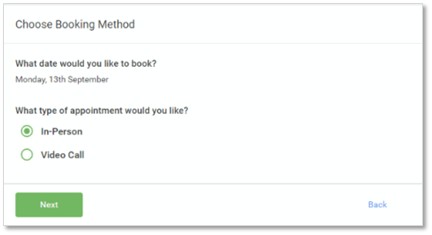
Step 2: Select in-person or video
Video Call – On the night you will log back into this portal and connect with your teachers via the video interface
In-Person – All interviews will be attended at the school
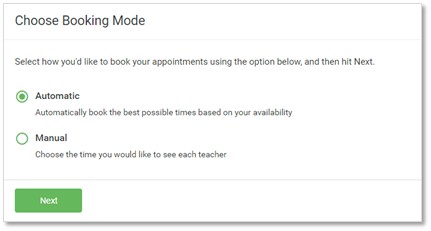
Step 3: Select Booking Mode
Manual = You pick the times to book with each teacher.
Automatic = The system will suggest the shortest possible appointment schedule based on the times you’re available to attend
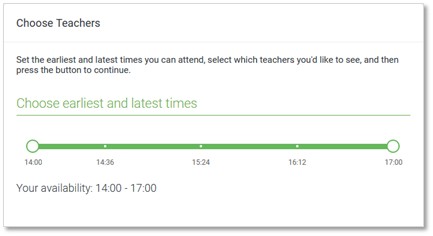
Step 4: Select Availability
Drag the sliders at the top of the screen to indicate the earliest and latest you can attend.
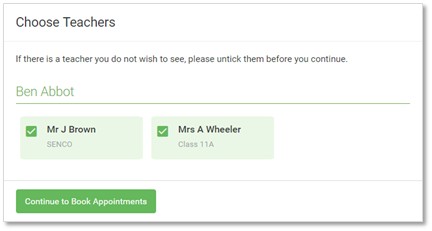
Step 5: Choose Teachers
Select the teachers you’d like to book appointments with. A green tick indicates they’re selected. To de-select, click on their name.
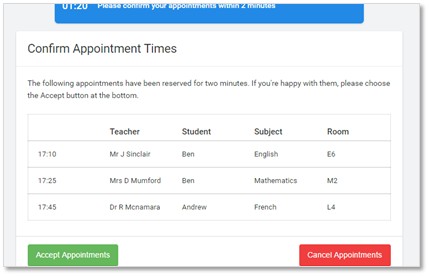
Step 6: Book Appointments (Automatic)
If it wasn’t possible to book every selected teacher during the times you are able to attend, you can either adjust the teachers you wish to meet with and try again, or switch to manual booking mode.
If you chose the automatic booking mode, you’ll see provisional appointments which are held for 2 minutes. To keep them, choose Accept at the bottom left.
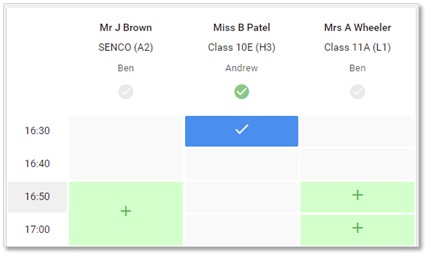
Step 7: Book Appointments
Once you’re finished booking all appointments, at the top of the page in the alert box, press click here to finish the booking process.
Click any of the green cells to make an appointment. Blue cells signify where you already have an appointment. Grey cells are unavailable.
To change an appointment, delete the original by hovering over the blue box and clicking Delete. Then choose an alternate time.
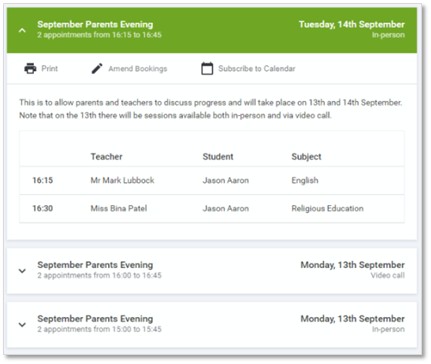
Step 8: Finished
To change your appointments, click on Amend Bookings.
All your bookings now appear on the My Bookings page. An email confirmation has been sent and you can also print appointments by pressing Print. Click Subscribe to Calendar to add these and any future bookings to your calendar.
Access your child’s GPA reports and more via our School Portal mobile app available conveniently on Android and iOS. If you have any difficulties booking interviews or accessing the School Portal, please phone the College on 6043 7500. Our College has also developed a mobile app, available on both Android and iOS. Click here to learn more about it.
The Grade Point Average (GPA) is a measure of how well a student is achieving across five performance areas. Each of these five performance areas are graded on a scale of 0 to 4 (0 being the lowest grade a student can receive and 4 being the highest). These grades are then averaged to produce one subject Grade Point Average.
The subject Grade Point Averages are then averaged to produce an Overall Grade Point Average.
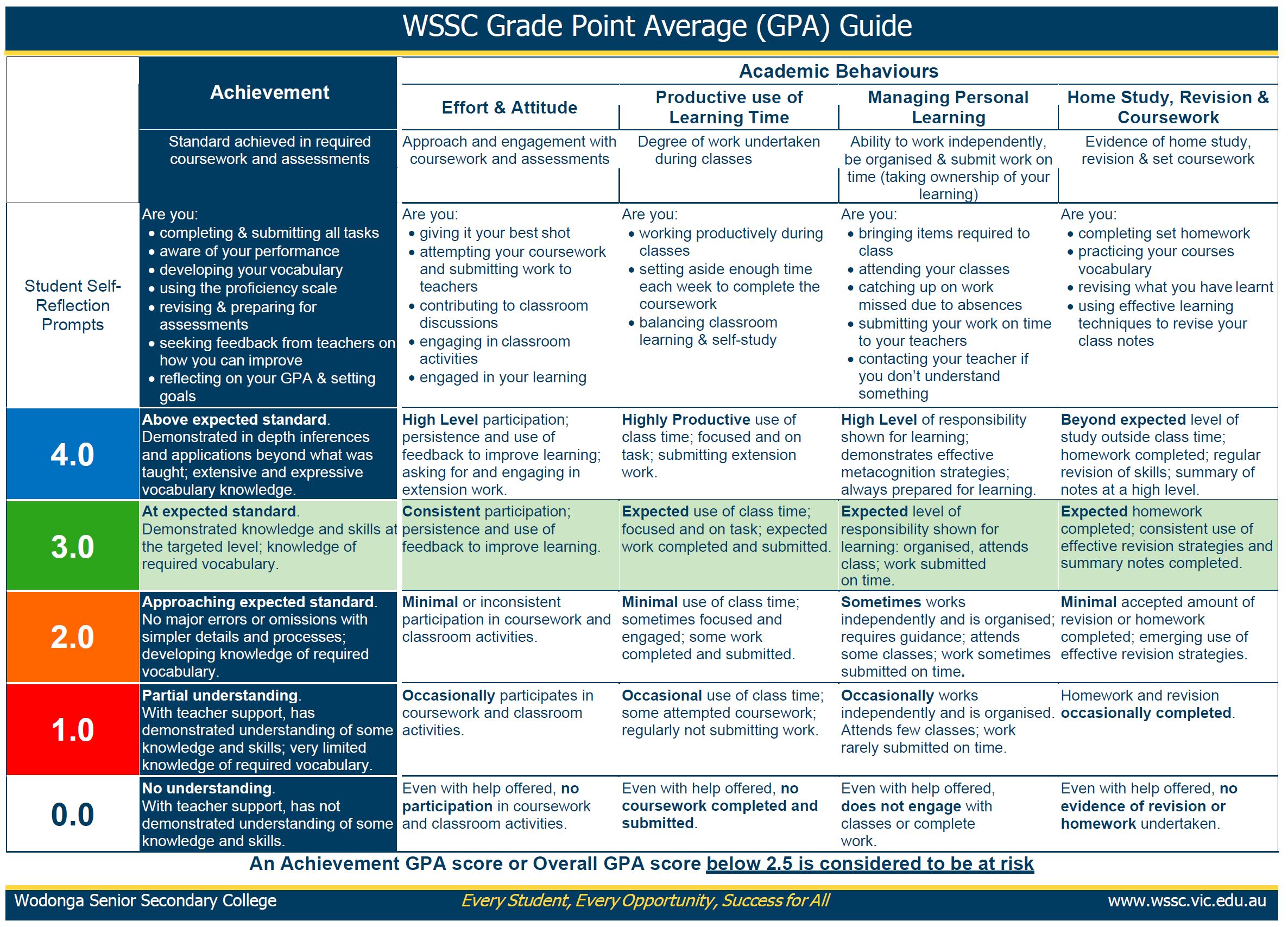
It is expected that every student can achieve a minimum of 3 as a GPA, regardless of academic ability. Any student who receives a subject GPA average below 2.5 is considered at risk.
Regards,
Vern Hilditch
Executive Principal
You must be logged in to post a comment.